![[personal profile]](https://www.dreamwidth.org/img/silk/identity/user.png) denpring
denpring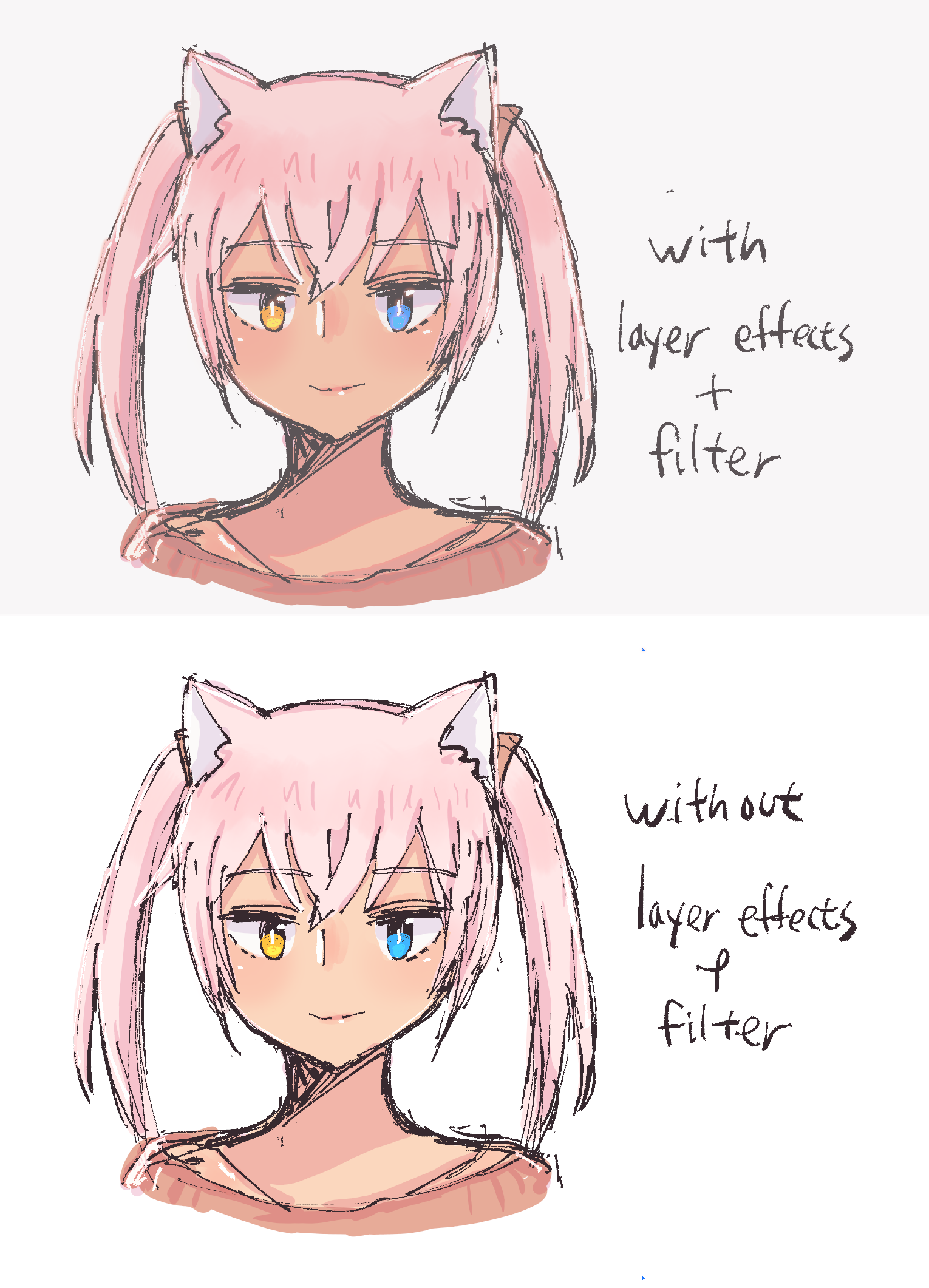
I actually knew about Krita's layer styles for a long time and used it to do outlines of speech bubbles for comics... But for some reason I never thought to utilize it for shading and highlights until now.
Which is weird, considering that I was already abusing SAI's watercolor edge effect over ten years ago. Young Denpring learned about digital art and immediately abused effects and gimmicks... Some things never change, huh?
...Point is, layer effects are useful for softening (or defining) the edges of shadows and giving a nice glow to highlights! Combined with filters, you, too, can distract people from your lack of fundamentals with shiny colors!
(Don't do that, try to learn the fundamentals correctly if you can LOL)
(More about Krita and digital art technicalities under the cut)
I also finally decided to learn about color spaces and... Why didn't I do it earlier! Colors blend much better (naturally?) in a linear color space with 16-bit depth layers! Of course I still have to export it to 8-bit sRGB for web, but it's nice to know! Especially since I'm starting to consider the potential of printing my art more and more.
...Which also made me wonder: Am I using the right color settings for my monitor? Of course digital VS printing colors will look different, but if they look too different because I'm using the wrong settings, that'll be painful to adjust for.
I was using the Vivid setting on my Galaxy Tab so far, but I did notice that the colors always look much brighter there compared to my other screens. But Natural looks too washed out, so I looked up to see what settings people recommended and... Found out there were other hidden display settings!
And one of them target Adobe RGB, which is used a lot for anything that's digital and graphics related... So I downloaded ADB shell, went into developer mode, and set the screen to AMOLED photo. I'm a hacker...! (No I'm not)
So far, the new screen settings look like a nice balance between Vivid and Natural, and I plan to see how my newfound power (linear color space) will work with digital painting... The road to becoming Krita master is long but worthwhile!


